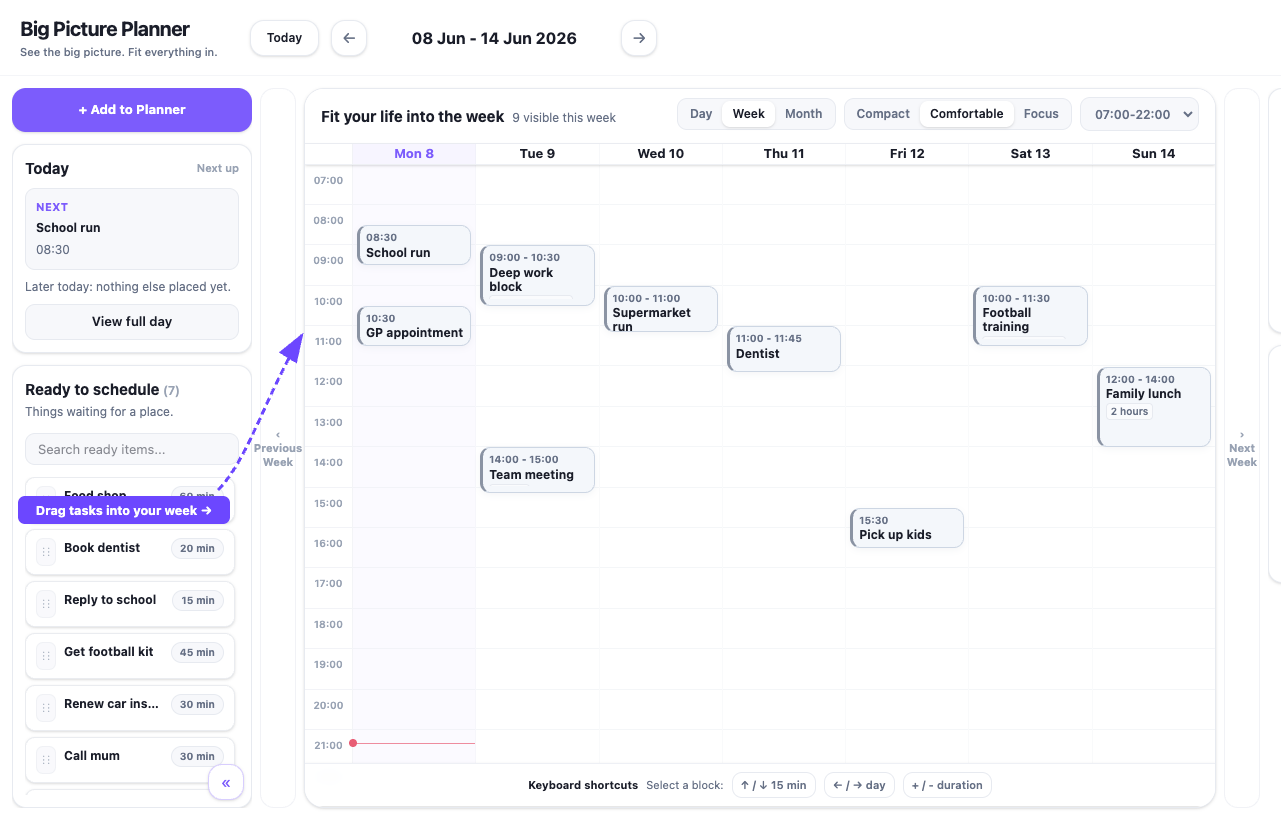
This is the real app, not a mockup. The Life Inbox holds everything not yet placed. Drag it into your week to see what fits.
Hi, I'm Pip. I'll help you find time and plan your week.
Appointments. Errands. Work. Life admin. Family. Everything feels important. But not everything fits. Big Picture Planner helps you see it all together and work out what actually belongs in your week.
It lives in the gap between your calendar and your to-do list.
Free while we build · No account needed · No installation · Questions? Get in touch
This is the real app, not a mockup. The Life Inbox holds everything not yet placed. Drag it into your week to see what fits.
You don't have a discipline problem. You just have more going on than any one head can reasonably hold.
If you recognised yourself in even a few of these, you're exactly who this is for.
Some of it's in your calendar. Some of it's in a to-do list. The rest is in your head: the appointment you haven't booked, the errand you keep forgetting, the gap you're not sure you have time for.
No single place shows you the whole week, so you're left guessing whether it all actually fits.
Drop every task, errand, appointment and loose idea into one place, without deciding when to do it yet. If it's on your mind, it goes in the inbox. Nothing has to live in your head anymore.
Every item becomes a movable block. Place it on the day and time that makes sense, right alongside your fixed events, so your plan finally holds your whole life, not just your meetings.
Spot the clashes. Notice the gaps. Shuffle blocks around until the week is realistic, not just full. You finish with a plan you can actually follow.
Your other tools are good at their job. None of them answer the real question: does my week actually fit?
vs. Google Calendar
Calendars are great at fixed events at fixed times.
Big Picture Planner places everything still floating: the tasks and errands that never make it onto a calendar.
vs. Todoist
To-do apps are great at holding a list.
A list never tells you if there's time. We show your tasks against the week, so you can see what fits.
vs. Notion
Heavy systems are great at organising work.
But planning shouldn't be another job. We're built for real life, not perfect routines and dashboards.
Keep using your calendar. Big Picture Planner is the layer that finally makes the rest of life fit around it.
School runs, appointments, meals, admin. You're running a small operation, and it needs to actually work.
For families →Lectures, deadlines, a part-time job and a social life. See the whole week and fit it in before the week decides for you.
When no two weeks look the same, you need to re-plan fast and see what still fits around changing hours.
You don't need another app telling you what you already know. You need one that helps you see where it all goes.
For busy minds →Big Picture Planner is a real, working tool you can use today. Here's what that means in practice: and what it doesn't.
I built Big Picture Planner because I was tired of having a calendar, a to-do list, and a head full of things that still had no clear place to go.
It works today, and it solves a real problem. It's free to use while we keep building, and the people who use it shape where it goes next.
If you want a heavyweight, do-everything productivity suite, that's not what this is. If you want a focused planner that already helps you see your week clearly, this is for you.
No. You can start planning right away with no account. Your planner is saved on your device. When you're ready, sign in with Apple, Google or email to save your progress and pick it up on your phone, laptop and tablet.
One place to capture everything on your mind (tasks, errands, people to call, admin and loose ideas) without deciding when to do it yet. Each item becomes a movable block you can later drag into your week, so nothing has to live in your head.
A visual weekly planner that helps you get everything out of your head and work out what actually fits into your week. See how it works above.
Google Calendar is excellent at storing fixed events at fixed times. Big Picture Planner adds the layer it's missing: everything still floating. You capture loose tasks first, then place them into open space in your week, so the planner shows what you actually have time for, not just what's already locked in. Keep using your calendar; this sits alongside it.
Notion and Todoist are powerful at holding lists, but a list never tells you whether your week is realistic. Big Picture Planner is built around time and space: it shows your tasks against your actual week, so you can see what fits, what needs moving, and what simply won't. It's made for real life, not just work projects.
It's free to use in your browser while we keep building it. There's no installation and no account required to start. You can begin planning straight away. Signing in just saves your planner so it follows you across devices.
Get everything out of your head, see your whole week, and work out what actually fits. Start now in your browser. Free, no account, no installation.